
Connect your bot to WhatsApp Business so customers can message it directly from WhatsApp.
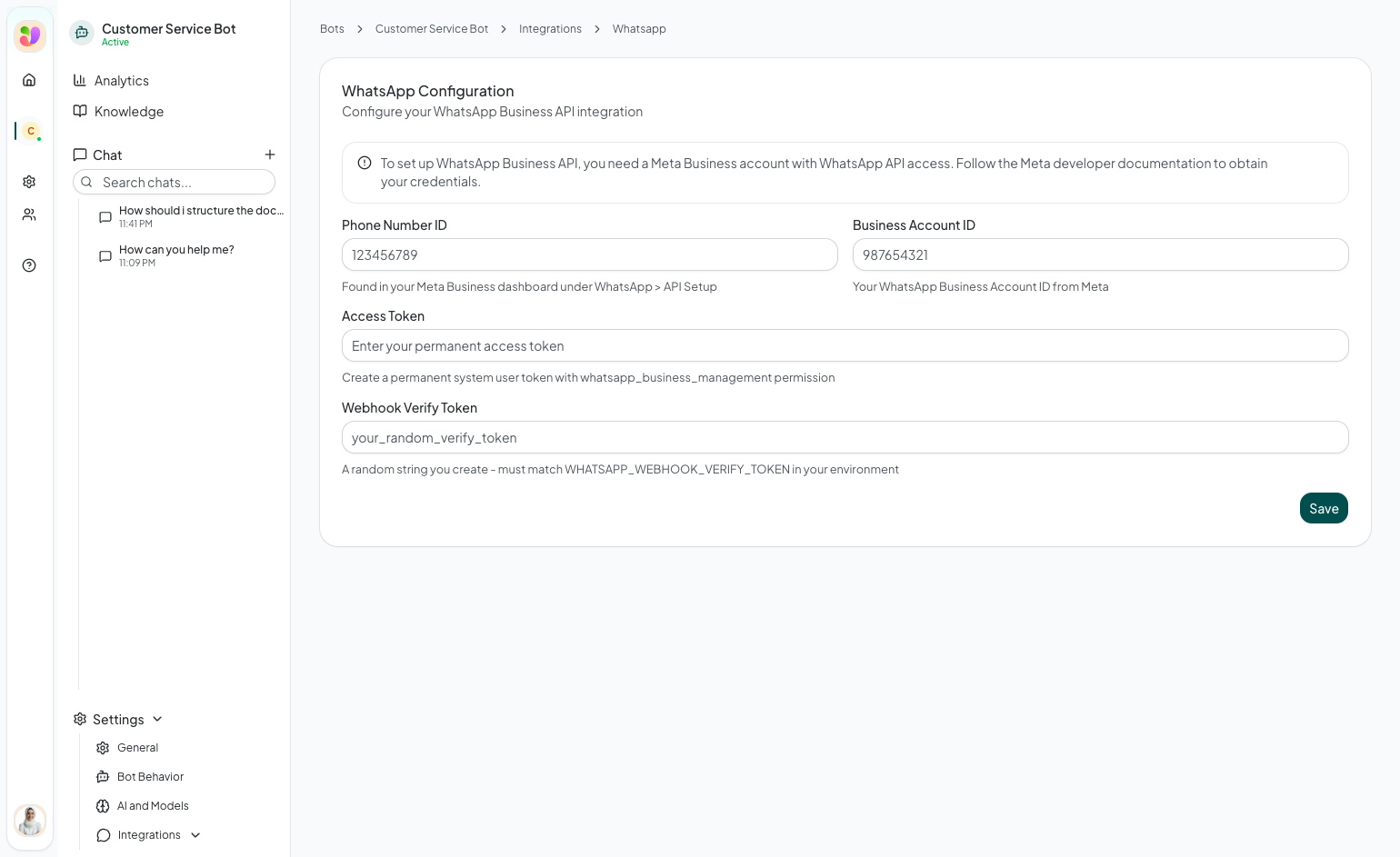
The WhatsApp integration connects your Shawer bot to the WhatsApp Business API. Once configured, customers can message your WhatsApp Business number and receive automated responses from your bot's knowledge base.
Prerequisites
Before you begin, you need:
- A Meta Business account with access to the WhatsApp Business Platform
- A WhatsApp Business phone number registered in your Meta Business dashboard
- A System User access token with the
whatsapp_business_managementpermission
Setup
Navigate to your bot's Integrations > WhatsApp page.
Step 1: Enter your credentials
Fill in the following fields:
- Phone Number ID — Found in your Meta Business dashboard under WhatsApp > API Setup. This is a numeric ID, not your phone number
- Business Account ID — Your WhatsApp Business Account ID from Meta
- Access Token — A permanent system user token with
whatsapp_business_managementpermission. This token is hidden after saving (only the last 8 characters are shown) - Webhook Verify Token — A random string you create. This must match the
WHATSAPP_WEBHOOK_VERIFY_TOKENin your environment configuration
Step 2: Save and get webhook URL
After saving your credentials, Shawer generates a Webhook URL. Copy this URL — you will need it in the next step.
Step 3: Configure the webhook in Meta
- Go to your Meta App Settings
- Navigate to the WhatsApp product settings
- Under Webhooks, paste the Webhook URL from Shawer
- Enter the same Verify Token you configured in Shawer
- Subscribe to the
messageswebhook field
Step 4: Test
Send a message to your WhatsApp Business number. The bot should respond using your knowledge base and behavior rules.
Managing the integration
- Edit — Update credentials or tokens at any time. You can leave the Access Token blank when editing to keep the current token
- Delete — Remove the integration to disconnect WhatsApp
Troubleshooting
| Issue | Cause | Solution |
|---|---|---|
| Bot does not respond to WhatsApp messages | Webhook not configured correctly in Meta | Verify the webhook URL and verify token match |
| "Unauthorized" errors | Access token expired or lacks permissions | Generate a new system user token with correct permissions |
| Messages received but no response | Bot is inactive | Enable the bot from the bot list page |